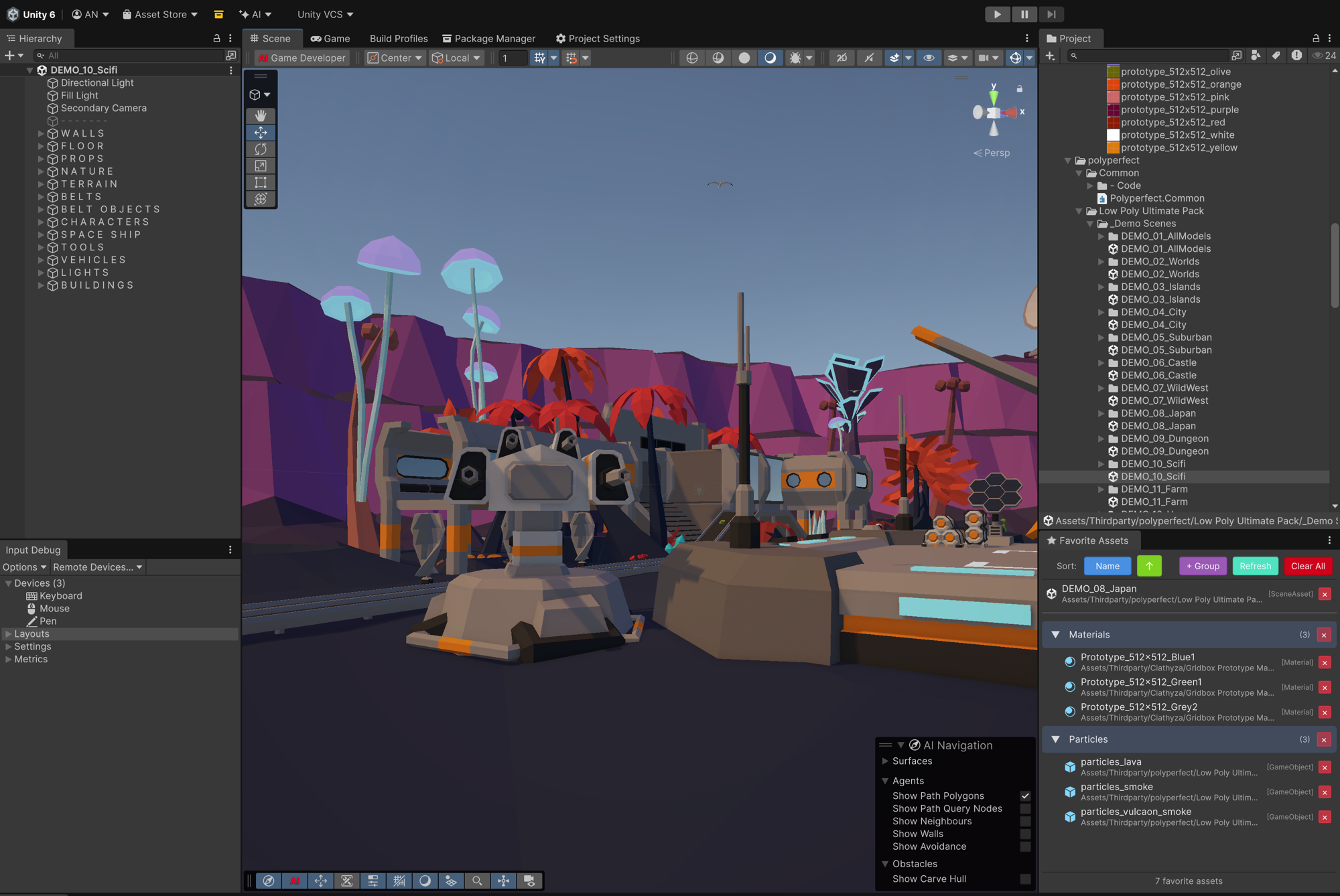
TL;DR - I made a small Unity Editor package that lets you bookmark assets and folders into a dedicated window, with groups and sorting. It’s called Favorite Assets, it’s free, and it’s on OpenUPM.
Bookmarks. Your browser has them. Your IDE has them. Even your food delivery app has them. And yet Unity, the tool in which we spend a frankly concerning amount of our waking hours, expects us to remember where our assets are.
Here’s a real path from one of my sandbox projects:
Assets/Thirdparty/polyperfect/Low Poly Ultimate Pack/_T/Prefabs_T/Fantasy_T/Crate_Box.prefab
Now imagine you need to touch that prefab, the material that goes with it (living in a completely different third-party folder, naturally), and your main scene - twenty times a day. Your options are the Project window search (and typing “crate” every single time), some cleverness with search filters, or my personal favorite - just leaving fifteen folders expanded until the Project window looks like a family tree of the entire Norse mythology.
I’ve written before about my package-oriented approach to Unity infrastructure: you suspect something will be useful in your next project? Package it. Ship it. Use it. This time the “something” is exactly that missing bookmarks bar.
So what does it do?
Right-click any asset or folder in the Project window → Add to Favorites. That’s it. The asset now lives in a dedicated window (Window → Favorite Assets), one click selects it in the Project window, double-click opens it.
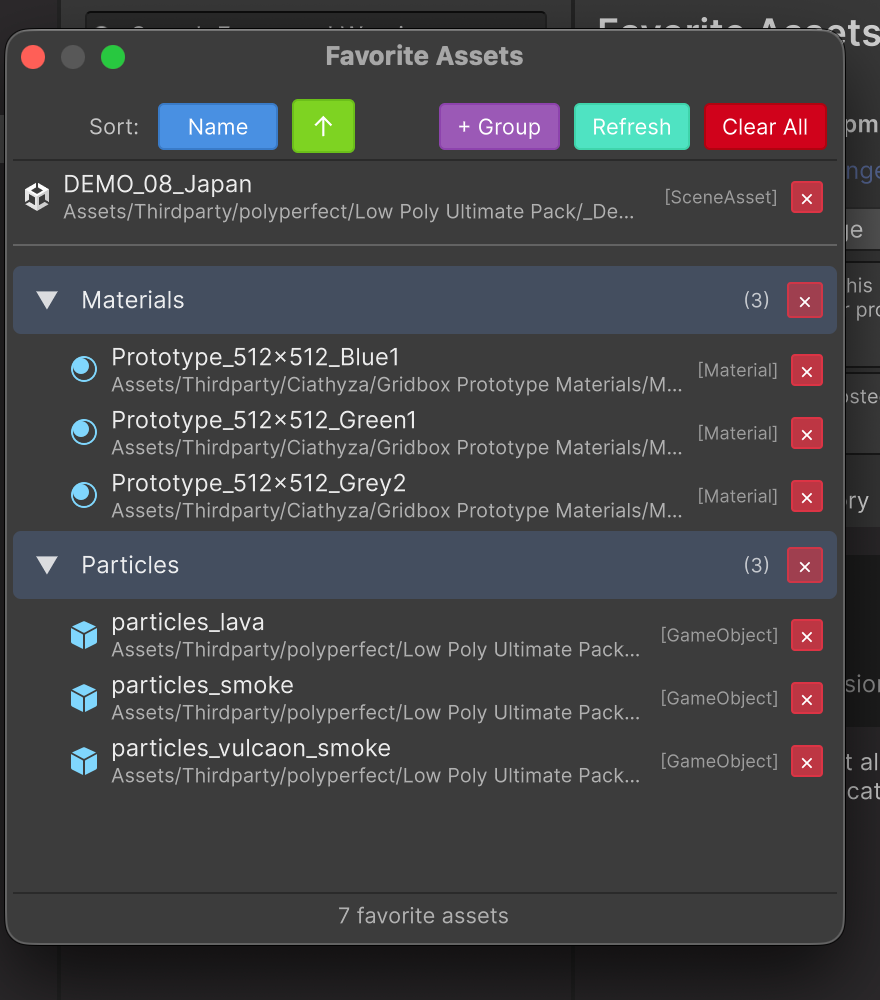
A flat list stops scaling somewhere around favorite number seven, so you can organize favorites into collapsible groups - create one with the (very purple) + Group button, drop assets in through the right-click menu, rename with a double-click. When you’re deep in materials-work, collapse everything else and enjoy the silence:
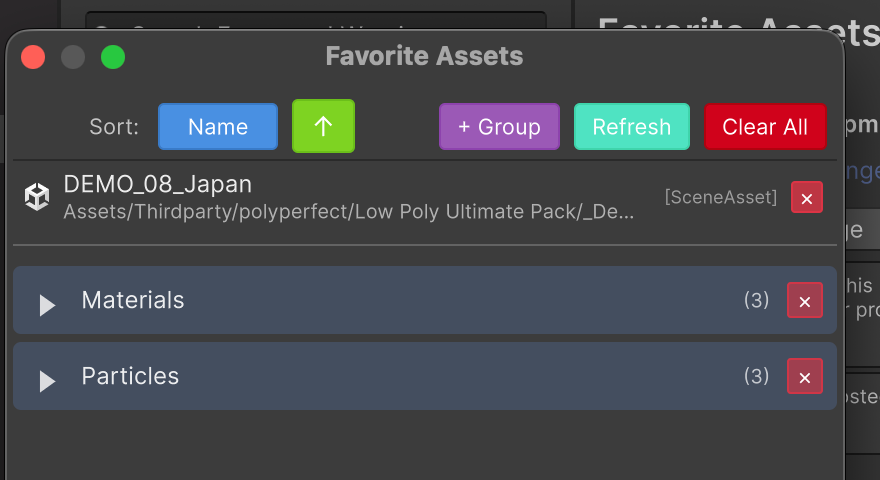
The toolbar also cycles between sort modes - by name, by asset type, by the date you favorited the thing, or by actual file modification date from disk. That last one is sneakily useful: “what was I even working on yesterday?” is now a sort button away.
The parts you don’t see
A few implementation details I care about, because a tool you trust with your workflow needs to keep working:
- Favorites are tracked by GUID, not by path. Move the asset, rename it, reorganize your whole project in a fit of spring cleaning - the favorite survives. (GUIDs are what Unity keeps in those mysterious
.metafiles; I’ve ranted about them before.) - Deleted assets clean themselves up. No graveyard of dead entries pointing at nothing.
- Data persists to a JSON file outside the project folder, so it survives Unity restarts and doesn’t pollute your repository with my tool’s opinions.
- The UI is built with UIElements, not IMGUI - so it’s stylesheet-driven and didn’t cost me a single
OnGUInightmare. The dreadedUnityEditornamespace is still dreaded, but it’s getting better. - Editor-only assembly definition, zero runtime footprint. Your build pipeline will never know it’s there.
Installation
The recommended way is OpenUPM:
openupm add com.mezookan.favorite-assetsOr, if you prefer clicking things (no judgement… some judgement): add a scoped registry in Project Settings → Package Manager with the URL https://package.openupm.com and the scope com.mezookan, then install Favorite Assets from the Package Manager. Recent releases are signed with Unity’s new UPM package signing, which was an adventure deserving a post of its own sometime (see previous remarks about the worth of my “sometime” promises).
Git URL installation works too, straight from the repository, for the scoped-registry-averse.
Next Steps
- Drag & drop assets straight into groups (right-click works, but hands want what hands want)
- Search within favorites, for when the favorites list itself becomes the thing that needs bookmarks
- Maybe a shared, per-project favorites file for teams - “here are the five prefabs you actually need to care about, new person”
If you try it and something breaks - or you just have opinions about the toolbar colors - issues and PRs are very welcome. That’s the whole point of shipping these things as packages.
Cheers! 🚀